
Before moving into an apartment, photograph every room while its surfaces are visible. Start with doorway views, add photos that locate individual fixtures or marks, and finish with close-ups where detail matters. Cover floors, walls, doors, windows, storage, kitchen surfaces, supplied appliances and bathroom fixtures. Keep original files, use consistent room labels, and separately submit any condition report your management requires.
You do not need an arbitrary number of pictures. You need a record that another person can navigate: which room, which spot, what was visible and when you actually observed it. This guide gives you a route, a shot list and a worked example for making those connections.
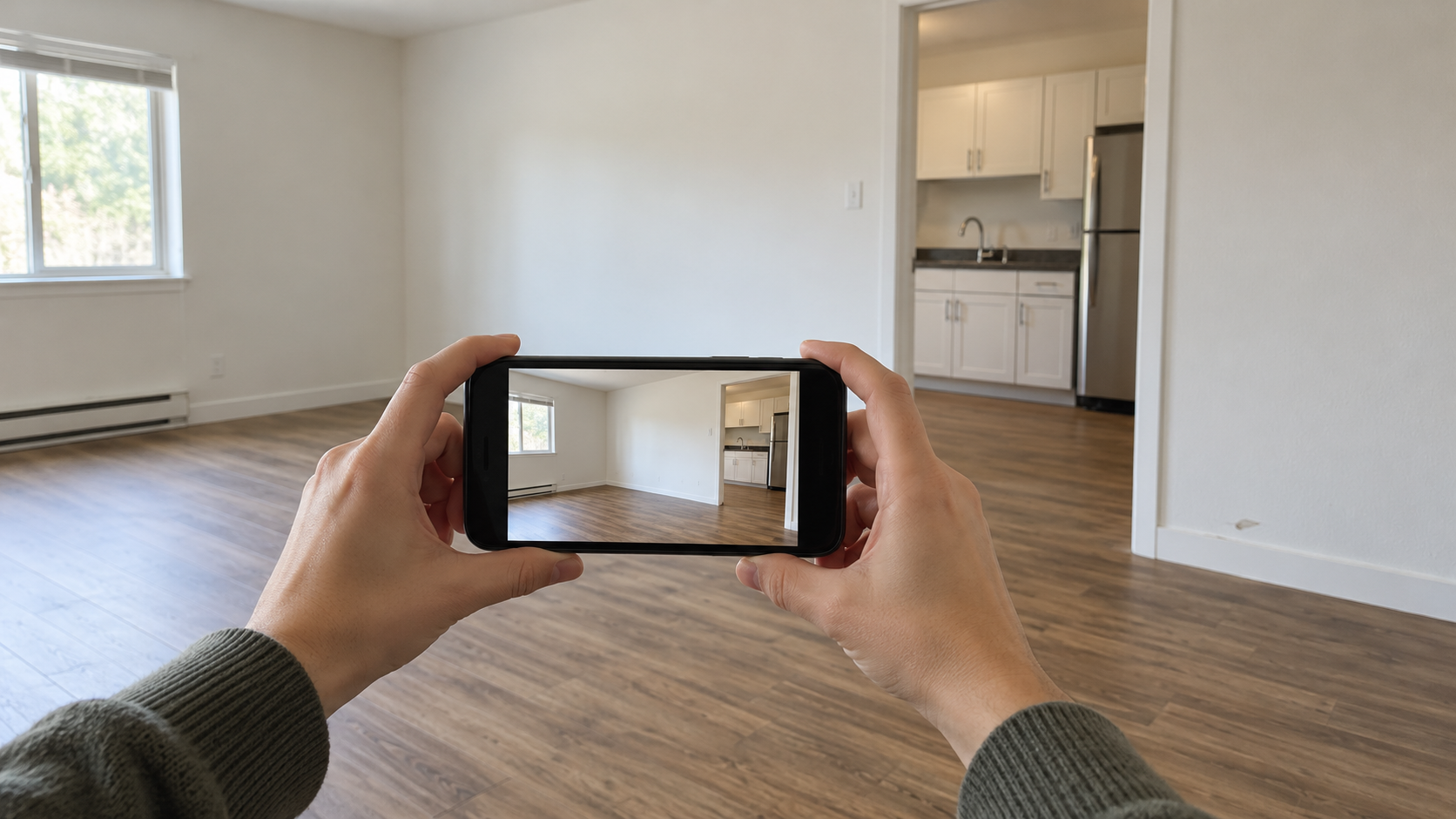
Before you start: make room for a useful baseline
Find the move-in form, inspection instructions and reporting channel before opening your camera. A saved photo album and a submitted condition report are different things. Check the instructions for your property and applicable local requirements; this checklist does not establish a nationwide deadline.
If possible, photograph after you receive authorized access and before furniture or boxes cover surfaces. If belongings are already inside, record the areas you can see and identify what is obscured. Do not label a later inspection as an earlier one.
Take a quick test photo and open it. Check that the room is recognizable, important detail is sharp and a bright window has not turned the rest of the room into a silhouette. Retake a blurry frame while you are still there. No special camera or editing effect is necessary.
The University of Vermont's move-in/move-out checklist is an example of a room-based condition inventory with space to record both stages. Use your property's required form when one is supplied; a generic checklist helps you remember areas, but does not replace that form.
Use three views when a detail needs explaining
A close-up can show a chip clearly while leaving its location impossible to identify. Build a small sequence instead. These are suggested views, not a mandatory three-photo quota for every object.
| View | Include | Question it answers |
|---|---|---|
| Wide | Doorway or corner view with fixed room features | Which room am I looking at? |
| Context | The fixture and nearby landmarks | Where in the room is the observation? |
| Detail | A sharp, close view of the visible mark or missing part | What can actually be seen? |
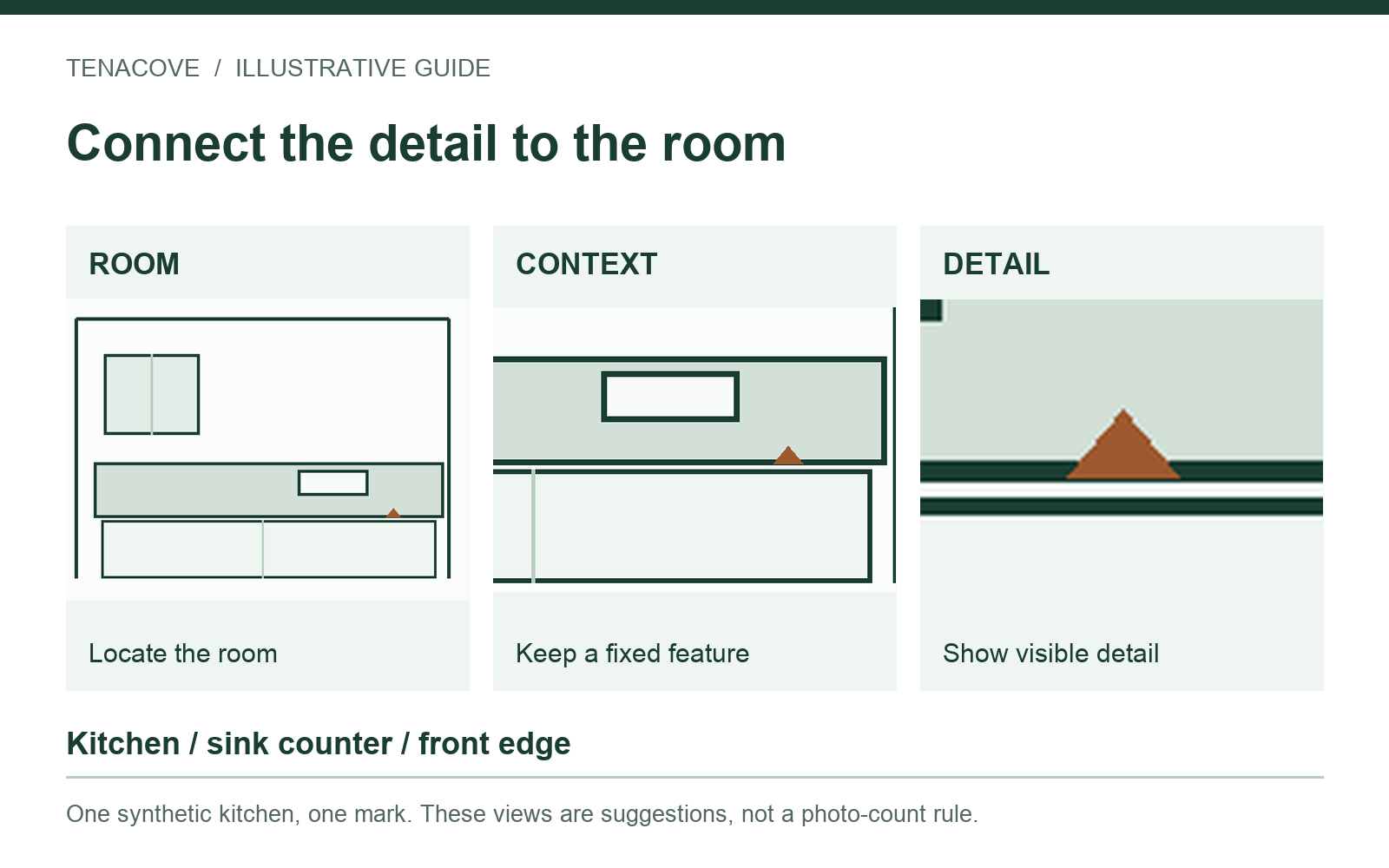
For a plain wall with no particular observation, a clear room view may be enough. For a small mark, add context and detail rather than taking many indistinguishable close-ups. Where size matters, a ruler placed safely beside the mark can provide visible scale. Keep that photograph as an original; do not replace it with a digitally added measurement.
Watch on YouTube ↗
Follow a room-by-room photo route
Choose an order and finish each room before moving on. A practical route is entry, kitchen, living area, bedroom, bathroom and any additional space included in the tenancy. Adapt it to the apartment rather than adding rooms you do not have.
Entry, doors and windows
Start with the entry from inside. Include the threshold, frame, door surfaces and nearby flooring. Record visible dents, damaged trim or missing hardware with a location-specific detail. If a door does not close normally during ordinary use, describe that observation without dismantling it.
Include accessible windows, screens, handles, blinds and sills in each room. A bent slat and a scratched sill are different observations; label them separately if each matters. Keep alarm credentials, access codes, identifying key details and visible mail out of frames you may share.
Kitchen counters, cabinets and supplied appliances
Take a wide view that establishes where the sink, counters and appliances sit. Then photograph counter edges, cabinet faces, accessible shelves and drawers, the sink area and the floor you can see. Open empty storage when it is safe and appropriate so the image does not only show the outside of a closed door.
For supplied appliances, record visible interiors and components such as a refrigerator shelf or oven rack when safe. Do not pull out heavy equipment, remove panels or test equipment that appears hazardous. Photograph a visible condition; do not turn the walkthrough into a repair attempt.
If an under-sink surface has a mark, connect it to the cabinet with a context shot. Write what is visible rather than diagnosing a leak from a single image. An issue needing attention should also go through the appropriate maintenance channel.
Living areas, bedrooms and storage
Capture floors and edges before rugs, beds or sofas cover them. Include visible wall areas, corners, baseboards and ceilings. Record a mark while its relationship to a window, outlet or corner is easy to show. Avoid relying on “left wall” without explaining the viewing direction.
Open accessible closets and photograph shelving, doors and floor areas. If furniture is supplied, include the items and their visible condition. Do not move another person's property without permission. In a shared apartment, distinguish private bedrooms from common spaces and state which areas you actually inspected.
Bathroom surfaces and fixtures
Take a room view, then capture the sink, vanity, accessible storage, toilet exterior, tub or shower, tile and visible floor edges. Use enough light to show marks without hiding them in glare. A tight photo of discoloration needs a context view so its position is clear.
Describe the appearance of a mark without identifying a substance or health condition from a photograph. A dark patch is not, by itself, a diagnosis. Avoid touching an uncertain substance or opening equipment to get a better shot. Use the appropriate building or emergency channel for an urgent condition rather than delaying action for a complete album.
Additional included spaces
If your tenancy includes accessible laundry, a balcony, storage locker or another assigned area, add it to the route. Record only spaces you are authorized to access. Note a locked or inaccessible area as not inspected, rather than treating a blank entry as confirmation that it was in good condition.
Use this coverage checklist before unpacking
This is a capture plan, not a maintenance diagnosis or a building-safety inspection. Adjust the rows to what is actually supplied.
| Area | Useful photo coverage | Before leaving the area |
|---|---|---|
| Entry | Door, frame, threshold, nearby floor | Exclude codes and identifying key details |
| Kitchen | Room view, counters, sink, storage, safe appliance interiors | Connect any small mark to its fixture |
| Living and bedrooms | Floors, walls, windows, accessible closets | Record surfaces about to be covered |
| Bathroom | Room view, sink, bath or shower, visible edges | Describe appearance without diagnosing cause |
| Assigned extras | Included storage or other authorized spaces | Mark inaccessible areas explicitly |
| Each observation | Recognizable context plus necessary detail | Check sharpness and add a factual note |
Worked example: a chip beside the kitchen sink
This example is synthetic. Imagine finding a small chip on the counter's front edge beside the sink during your authorized move-in walkthrough. The aim is to make that one observation understandable without inventing its history.
- Save a wide kitchen image with the sink and surrounding counter visible.
- Take a closer view showing which edge is affected and how it relates to the sink.
- Take a sharp detail of the chip. Keep all three original files.
- Use one stable location: Kitchen → sink counter → front edge.
- Add a neutral note and link the observation to the appropriate line on the condition form.
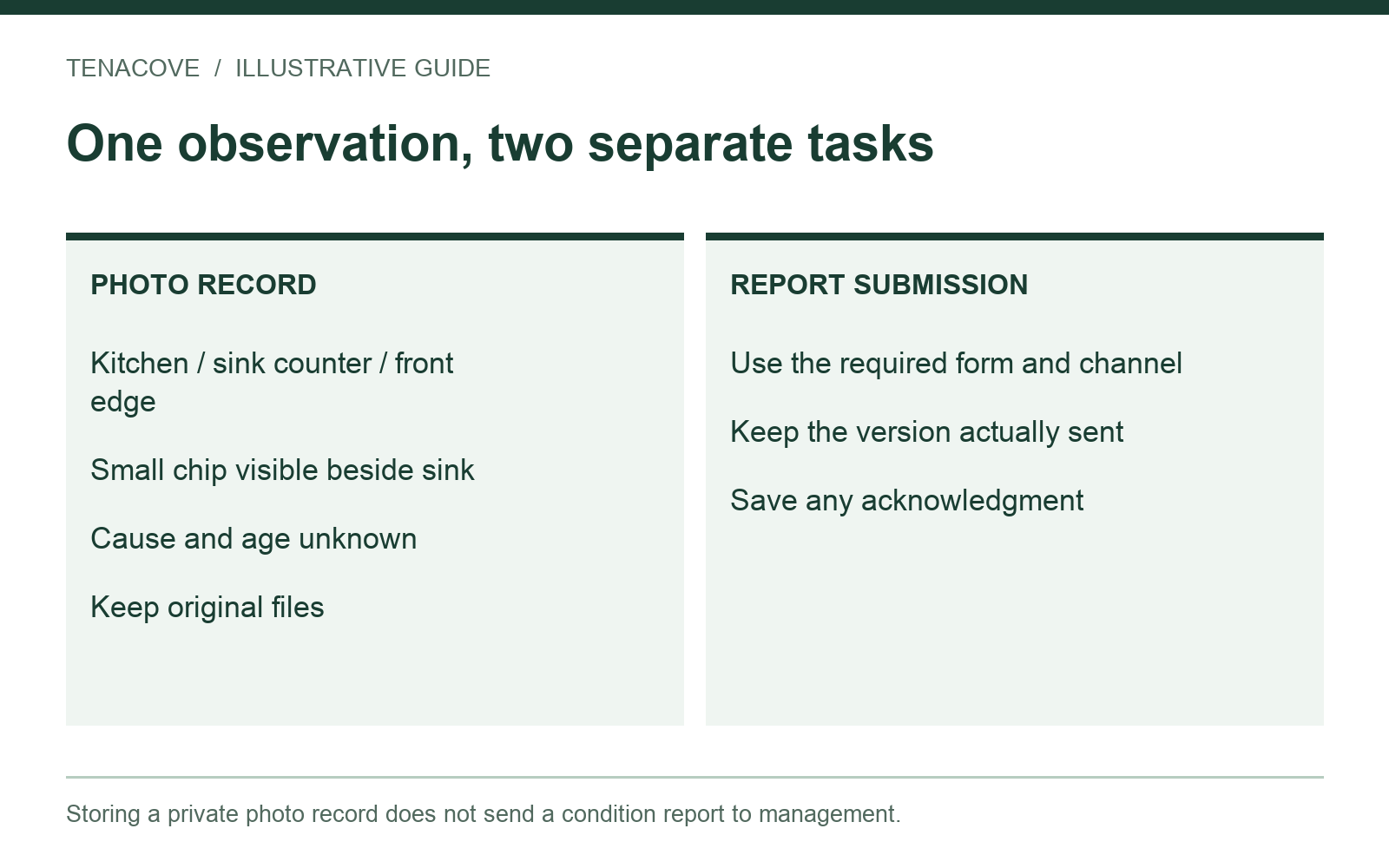
Kitchen, sink counter, front edge: small chip visible beside sink during move-in walkthrough. Close-up shows the edge; context image identifies its location. Cause and age unknown.
Enter the date you actually observed it. If you took the photographs later, say so. “Visible during my move-in walkthrough” describes your observation; “caused by the previous tenant” makes an unsupported claim about somebody else.
Save originals, submit the report and keep the sent copy
Keep the original camera files in a private backup. Use descriptive room and spot labels in your working record, and keep an index if filenames alone are not clear. A screenshot of a messaging conversation is not a replacement for every original image in that conversation.
Follow the submission process for your property. Preserve the completed report, attachments, the version you actually sent and any acknowledgment. Do not assume that someone received a report because you stored it in an app. If a portal limits attachments, keep your complete set independently and follow the channel's instructions for additional information.
Winthrop University's moving guidance pairs inspection documentation with photographing the unit. The practical distinction is useful: photographs supplement a record rather than silently completing all administrative steps.
For questions about local requirements or a disagreement, USAGov's tenant-rights resources point to state agencies and legal assistance. This photo checklist cannot determine responsibility or guarantee a security-deposit outcome.
Keep the labels useful through the lease
Reuse your room and spot names when a condition changes. Keep a new observation as a new record instead of overwriting the original. If a repair request follows, retain the actual correspondence separately; the maintenance record guide explains how to connect photos and a request timeline.
At departure, return to the same places with the move-out photo checklist. If you already missed the starting condition, use the missing move-in photos workflow and keep the gap visible.
Move-in photo questions
How many photos should I take?
There is no universal count for an apartment. Check coverage and legibility: can someone identify each room, locate the observations and see the relevant detail? Add a different view when it answers a missing question.
Can a video replace the photographs?
A walkthrough video can add orientation, but still photos are easier to label by room and spot and inspect individually. Keep any video independently. Tenacove's current Beta is a photo-and-note workflow, not video storage.
Do photo timestamps prove when a condition existed?
Keep date information, but do not treat it as authentication. Camera metadata, a date you enter and a service's upload time describe different things. Use accurate notes and preserve related source records instead of claiming a timestamp settles the issue.
Should I still complete management's checklist?
Follow the required inspection and reporting procedure for your tenancy. A personal album does not automatically satisfy it. Keep the actual submitted version alongside your photo originals.
Start with one room you can finish
Walk the entry, take the necessary views and write one clear note before continuing. If you want room and spot labels to stay together, see how Tenacove organizes photos and notes. The current free Beta supports a structured record and export; keep an independent copy and submit management notices through the appropriate channel.