
To photograph floor scratches in a rental, first show where the mark is, then take a clear closer view under light that lets you see it. Keep a fixed landmark in the set, try another light or camera direction if glare hides the surface, and write down a position you can repeat later. Preserve the original files and describe what the photos show without guessing material, depth or responsibility.
A close-up can show a line while losing its location. A distant move-out photo can show the room while leaving that same line unreadable. A useful floor record connects both views and explains any differences in lighting or framing. You do not need a dramatic “damage shot”; you need a set another person can navigate.
Download the original editable floor-photo shot log or printable shot log and fictional example. Record only sessions you actually complete. The drawings and cover below are illustrations, not real rental evidence or camera tests.

Locate the mark before moving closer
Choose a room label and a fixed spot description. “Bedroom, beside the doorway on the hinge side” is more repeatable than “scratch near my bed,” because the bed may move. A doorway edge, wall junction or baseboard corner can help locate the same patch later.
Take a room or area view that includes the landmark and the marked patch if visible. Then move closer while preserving enough surrounding detail to connect the two images. If there are several similar marks, give the set an ID such as FL-01 and describe which mark it covers. Avoid referring only to “the bad one.”
General inspection worksheets recognize floors as a separate observation. The Rutgers rental inspection example includes floor/tile entries, separate move-in and move-out columns, and a reminder to take photos at move-in. It does not prescribe a floor-photography method or decide how any mark should be classified.
For the rest of the apartment, follow the broader move-in photo checklist. This exercise concentrates on one floor location, the light falling on it and the details needed to repeat your view.
Check the light before judging the picture
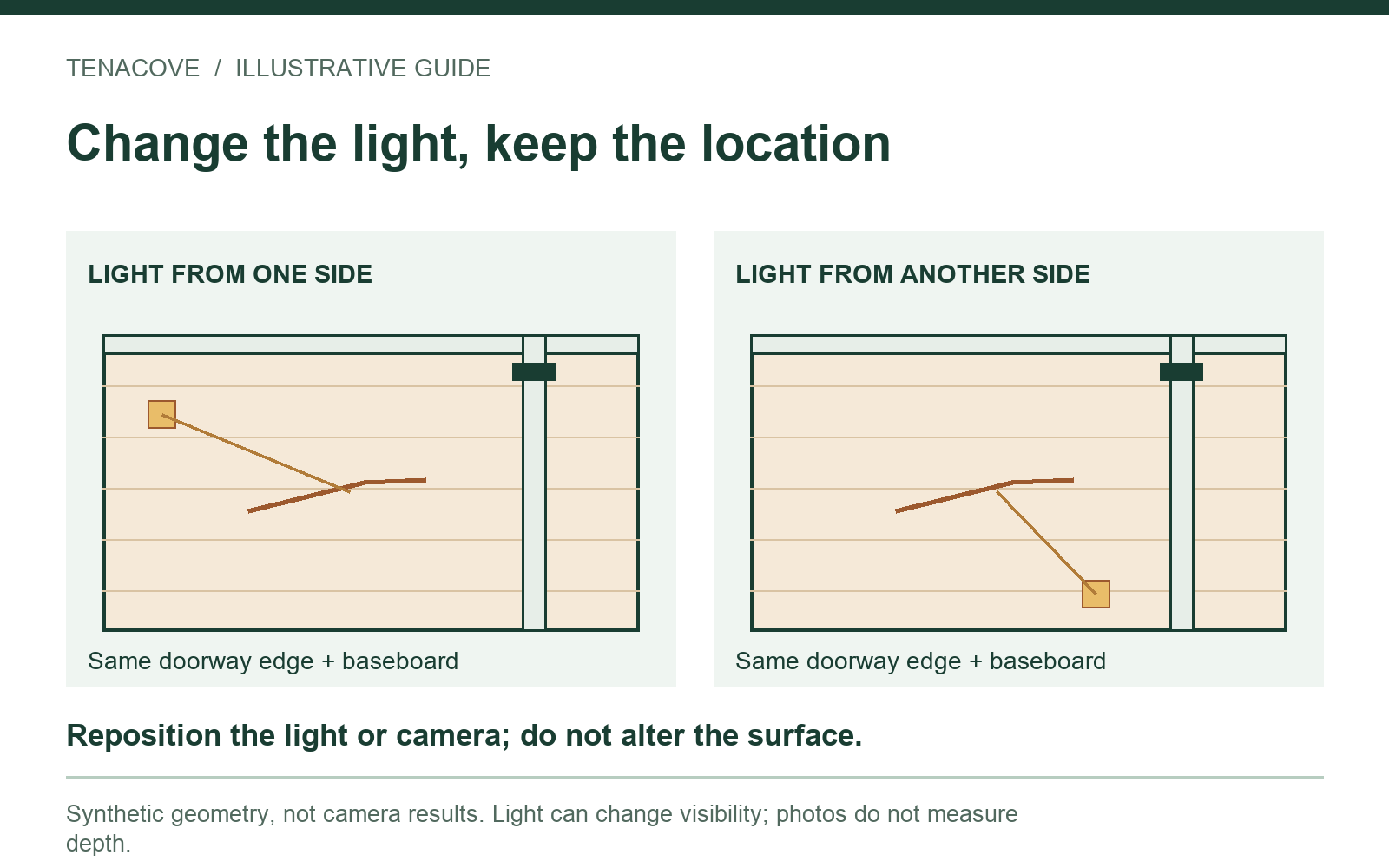
Look at the phone preview. Is a bright reflection covering the line? Is your body casting a shadow across it? Is the image so dark that the surrounding surface disappears? Change one thing at a time so you can tell which view is usable.
Start with ordinary room light. If needed, move yourself or use a portable light from another direction without touching or altering the surface. Compare the new view with the first. A mark can look different as reflections change; a more visible line is not a measurement of a deeper scratch.
Focus, hold still and review the saved image
Keep the camera steady and give it time to focus. Move back if the phone cannot focus at the distance you chose, then review the actual saved file. Enlarging the preview briefly can help you notice blur, but a digital crop does not add missing detail. Retake an unreadable image while you are still at the spot.
For iPhone users, Apple's camera-tools guide explains tapping to move the focus area and adjusting exposure. Controls vary by device and software. Use ordinary settings that retain a readable surface; do not use filters or heavy edits to make the mark look stronger.
You do not need to force every photo to have identical brightness. Instead, note the actual lighting when it matters: “daylight from window; ceiling light off” or “room light on; reflection crosses right side.” Those notes help explain why two views may look different without assuming the floor changed.
Watch on YouTube ↗
Pair context and detail, with honest scale
Build a short, readable sequence. The first view locates the spot. The second brings the relevant patch closer while retaining a reference. A third view can show the line more clearly under alternate light. Use as many as the actual situation requires, rather than collecting many near-identical files.
| View | Its job | Check before leaving |
|---|---|---|
| Area/context | Connect the marked patch to a room landmark | Could you find the same spot without the current furniture? |
| Closer detail | Show the visible line and adjacent surface | Is it in focus, with enough surroundings to connect to context? |
| Alternate light or direction | Provide another view when glare obscures the first | Did you note what changed, without claiming depth or cause? |
| Later matching view | Record the same location at another actual session | Can you recognize the fixed references, and are differences stated? |
If size matters, a scale reference can be a separate, clearly described aid, but do not place adhesive, sharp objects or anything that could mark the finish. Do not press on a questionable surface. If a safe reference is unavailable, leave the measurement unknown. A ruler photographed from an oblique angle does not automatically establish accurate dimensions.
Avoid drawing directly on the floor. If you later add an arrow to a copy of a photo, label it “annotated copy” and keep the untouched original beside it. An arrow should point to the visible feature without covering it. Keep the context image even when the close-up seems more striking.
Record a position you can repeat
After capturing the set, write a short camera-position note while the arrangement is fresh: “standing in hall, facing bedroom doorway; door frame at right edge.” Describe the direction, approximate stance and framing. You do not need to invent a precise height or distance that you did not measure.
Store the original filenames in the shot log, then map the set ID to those names. Use separate fields for observation date, photo-capture date if known, stage and later comparison. If you selected an older photo whose date you cannot confirm, say that rather than inferring the date from when it was uploaded.
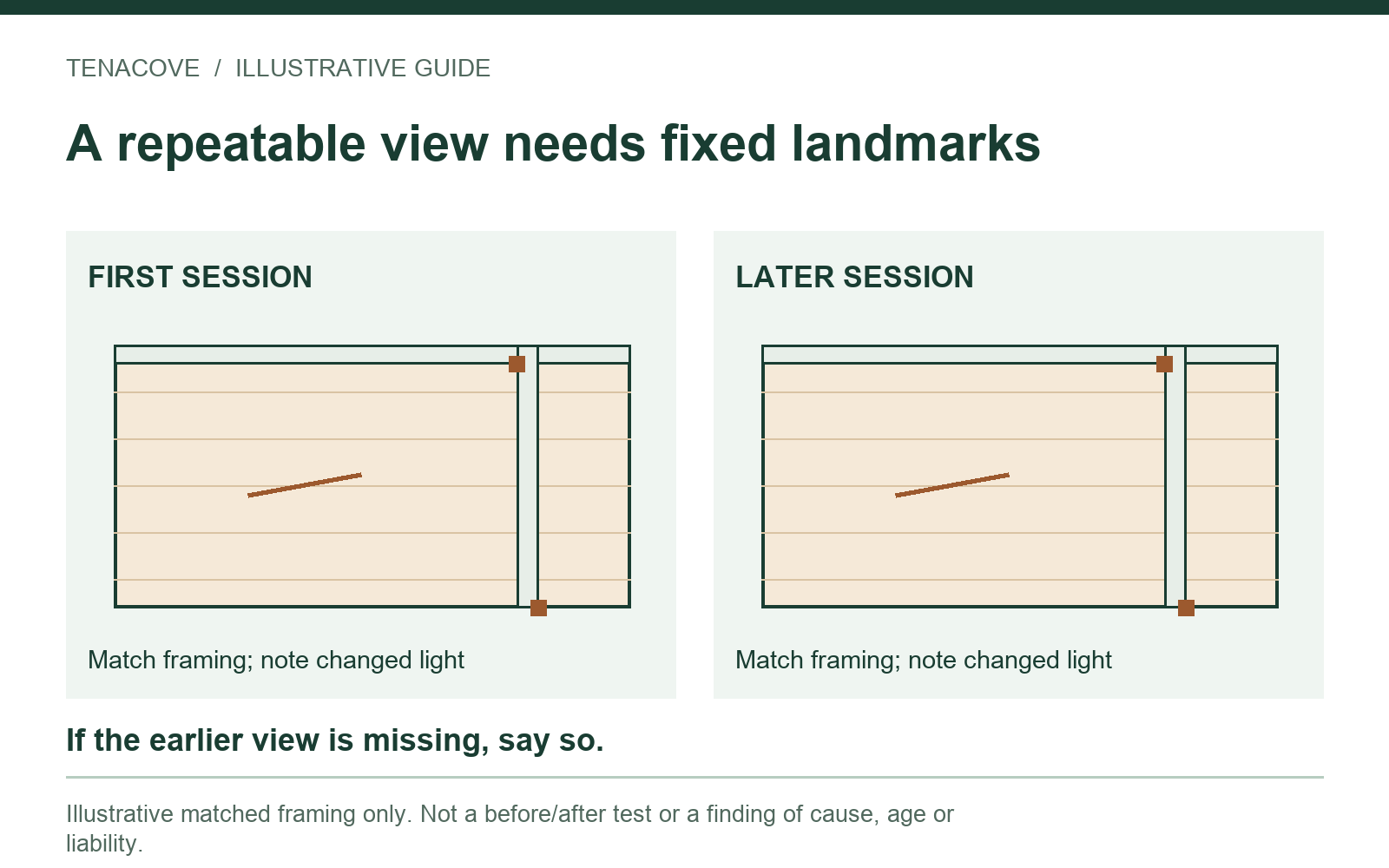
Before a later session, open the earlier context image, find the fixed references and recreate a usable view if safe and practical. Record changed light or obstructions. Our move-out checklist explains how to include that return visit within the wider handoff record.
A fictional floor-photo session
Suppose you notice a thin line beside a bedroom doorway during a move-in inspection. This example illustrates a record structure; none of its filenames represents an actual tenant's photo.
| Log field | Fictional example | Why keep it |
|---|---|---|
| Issue and spot | FL-01; bedroom doorway, hinge-side baseboard | Distinguishes this patch from other floor marks |
| Session | Move-in; actual date to be entered by the observer | Keeps a placeholder from becoming an invented date |
| Camera / light | From hallway toward bedroom; daylight from left; second view from another side | Explains position and reflection differences |
| Originals | IMG_4101.JPG context; IMG_4102.JPG detail; IMG_4103.JPG alternate light | Maps the set to actual files when replaced with your own entries |
| Observation / limit | Thin line visible near doorway; material and depth unknown | Separates description from inference |
| Later view | Not taken | Does not prefill a comparison that has not happened |
Open each actual file once after completing your own log. A neat row is unhelpful if it points to the wrong room or a deleted image. If your best detail was taken from a different side, retain both views and identify that difference. Do not select only the frame that makes the line appear largest.
Fix common unusable shots
The floor is one bright reflection. Try another camera or light direction and review the result. Keep enough context to identify the same patch. Do not assume more brightness always shows more useful detail.
The close-up has no location. Add an intermediate view linking the detail to the fixed landmark. If you cannot relocate an old close-up reliably, label the uncertainty rather than attaching it to a guessed spot.
The whole-room photo hides the mark. Keep it for orientation and add a closer view. Cropping the distant file may help illustrate where you mean, but it cannot recover detail the camera did not capture.
A later image looks different. Compare light, angle, framing and what is actually visible. Record those differences. Photographs alone do not identify whether the surface is wood, laminate or vinyl, or establish when a line began, how deep it is or who is responsible.
Keep the originals with a clear note
Save the unedited source files and a separate backup. Use a clearly labeled copy for crops or annotations, with a filename mapping in your log. The rental-photo export guide covers checking an archive and keeping its files together.
Tenacove can group photos and notes under the same room, spot and stage, then place later records beside earlier ones. Record the actual observation date and keep messages to management separately. The current workflow explains that user-entered dates and server receipt times do not authenticate capture time. A floor-photo set is a readable observation record, not a verdict.
Floor-photo questions
What if I have no earlier photo of this spot?
Document the current visible condition and state that the earlier view is unavailable. A later session cannot recreate an earlier condition. Keep any genuinely relevant older context photos without presenting a synthetic reconstruction as a baseline.
Should I call it a hardwood scratch?
Use the floor material only if you have reliable information for that home. Otherwise describe the visible surface and line. This capture exercise does not identify the construction or recommend a repair product.
Which views should I send?
Use the channel and form requested for your tenancy. Select the context, readable detail and any necessary alternate view, with a concise index. Keep the exact sent copy and any real reply separately; an organized private record is not itself notice to management.